From High-Level Yield to Floor-Level Truth: Engineering a Manufacturing Dashboard
From drill-through analysis to custom tooltips, learn the exact Power BI features you need to track manufacturing yields and spot production issues before they impact delivery.
The Reality of Shop Floor Data
Modern manufacturers generate a massive amount of data every single day. But having data is different from having answers.
When your production metrics are scattered across legacy systems, ERPs, and static spreadsheets, simply understanding what happened yesterday becomes a time-consuming project. This disconnected approach makes it incredibly difficult to answer the questions that drive profitability:
Which specific plants are underperforming this week?
Where exactly are production bottlenecks occurring?
Which product lines have the highest defect rates?
How are specific downtime events impacting total output?
The Metrics That Matter: What We Track
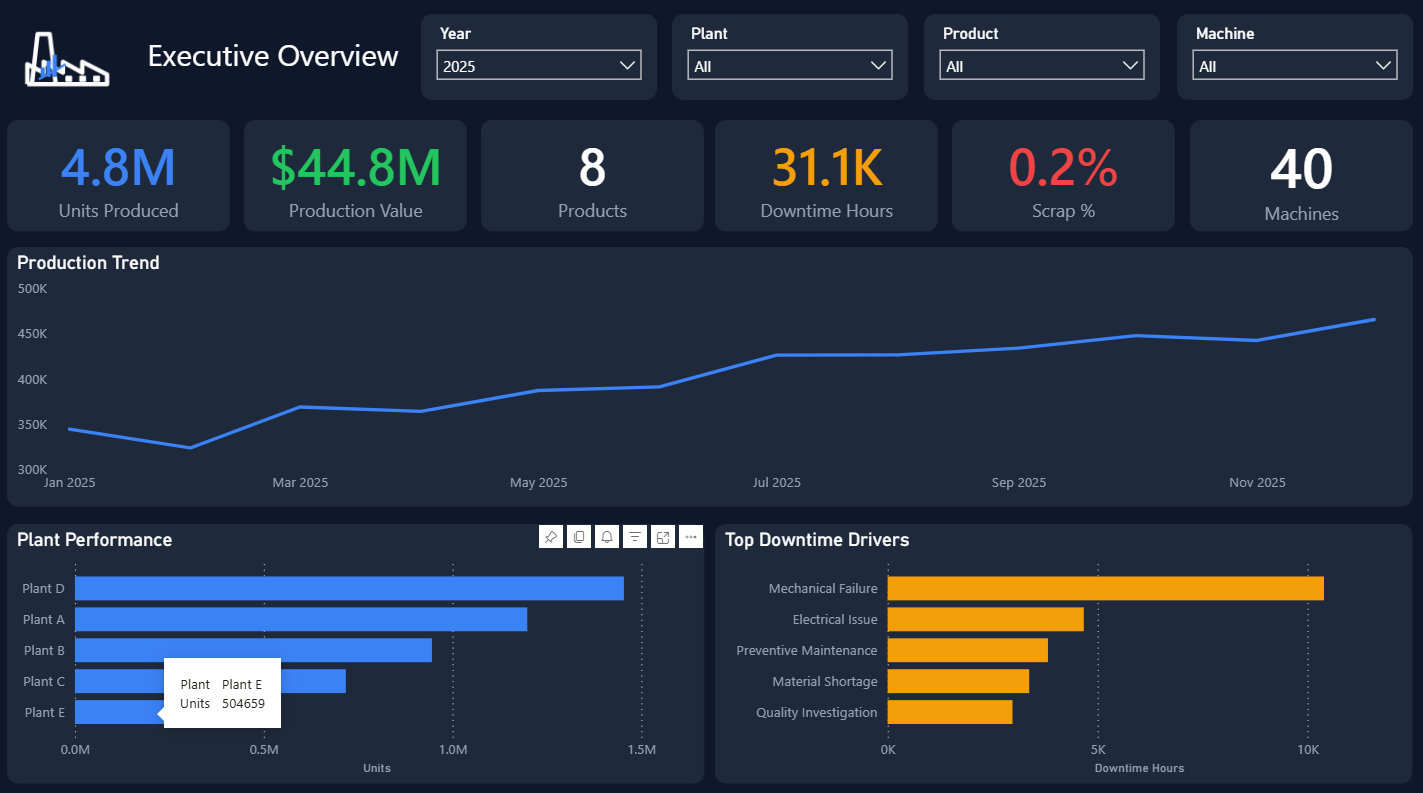
Before designing the layout or setting up interactions, we align with operations teams to surface the KPIs that directly dictate daily output and profitability. A properly architected shop floor dashboard consolidates key operational metrics into a single source of truth, including:
Throughput & Output Volume: Tracking actual production speed against capacity in real time to spot slowdowns as they happen.
Production vs. Target: Comparing live yield against planned production schedules across shifts, lines, and facilities.
First-Pass Yield & Scrap Rate: Measuring production quality instantly to catch material waste and defect spikes before products leave the floor.
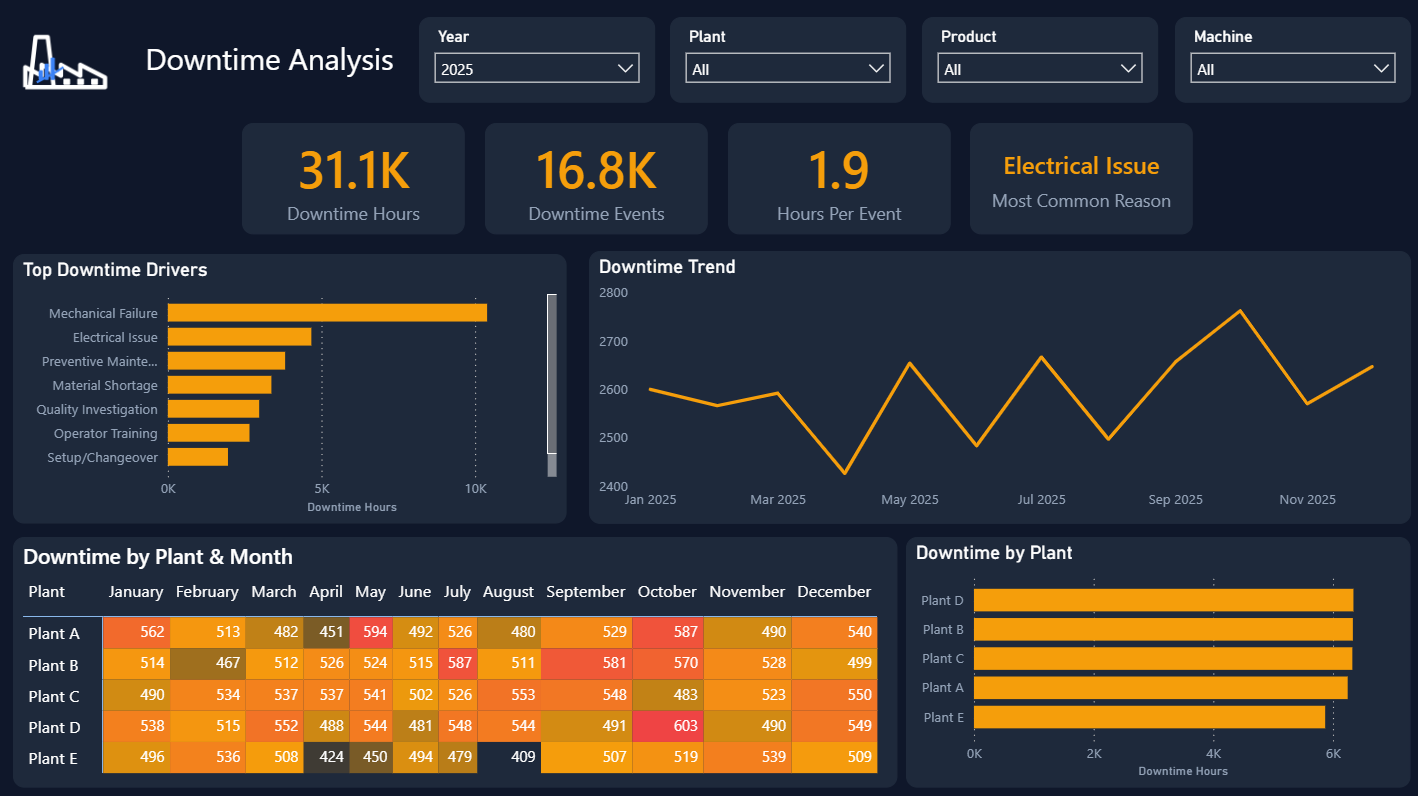
OEE (Overall Equipment Effectiveness) & Unplanned Downtime: Pinpointing exact machine availability, performance loss, and downtime root causes across every plant.
In our previous post, we discussed why organizations need to stop staring at static spreadsheets and start building properly engineered Power BI environments. Today, we are taking those concepts straight to the shop floor.
Here is how Elevate Technology Partners builds manufacturing dashboards that turn scattered production data into instant, actionable insights.
The Features That Drive the Factory
A great manufacturing dashboard allows you to view the big picture and the root cause in the exact same interface. Here are the core structural features we use to make that happen.
1. Interactive Filtering: See Exactly What You Need
The Problem: Leadership needs to understand performance by a specific facility, product line, or shift. In a traditional setup, this requires generating completely separate reports for each variable.
The Solution: We build robust interactive filtering directly into the interface. With a single click, users can filter the entire dashboard to view a specific shift or facility. Every chart, graph, and metric on the page instantly updates to reflect only that specific slice of data.
2. Conditional Formatting: Spot Issues Before They Ship
The Problem: Plant managers need to identify production dips or defect spikes before they impact delivery timelines and customer satisfaction.
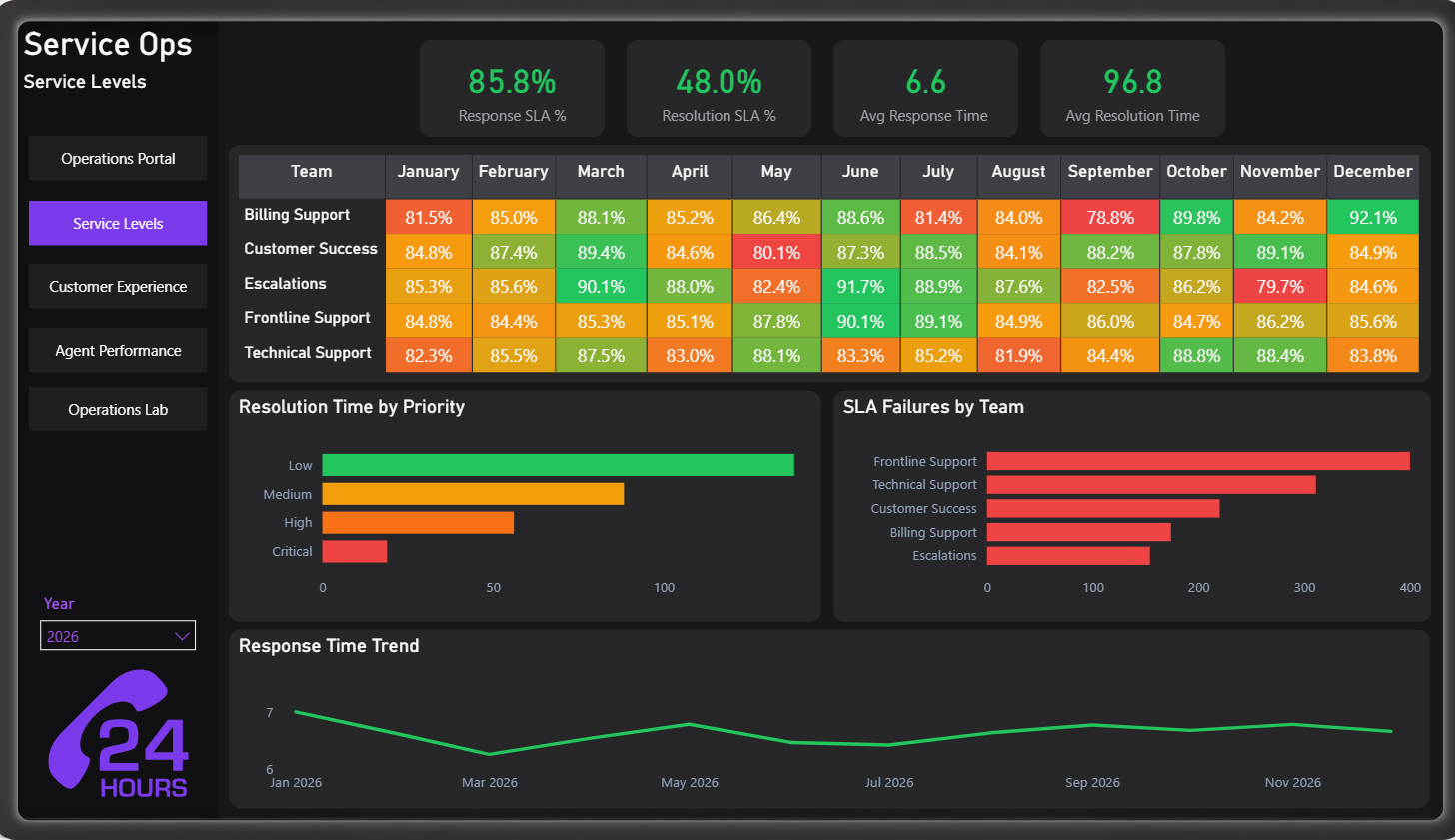
The Solution: Data should wave a red flag when something goes wrong. We utilize conditional formatting to establish visual performance thresholds. If a plant's output drops below an acceptable target or defect rates creep up, the metric instantly changes color. You see the problem immediately without having to interpret the raw numbers.
3. Drill Through Analysis: The Root-Cause Deep Dive
The Problem: You spot a dip in overall production output at a specific location, but the high-level dashboard view does not explain why it is happening.
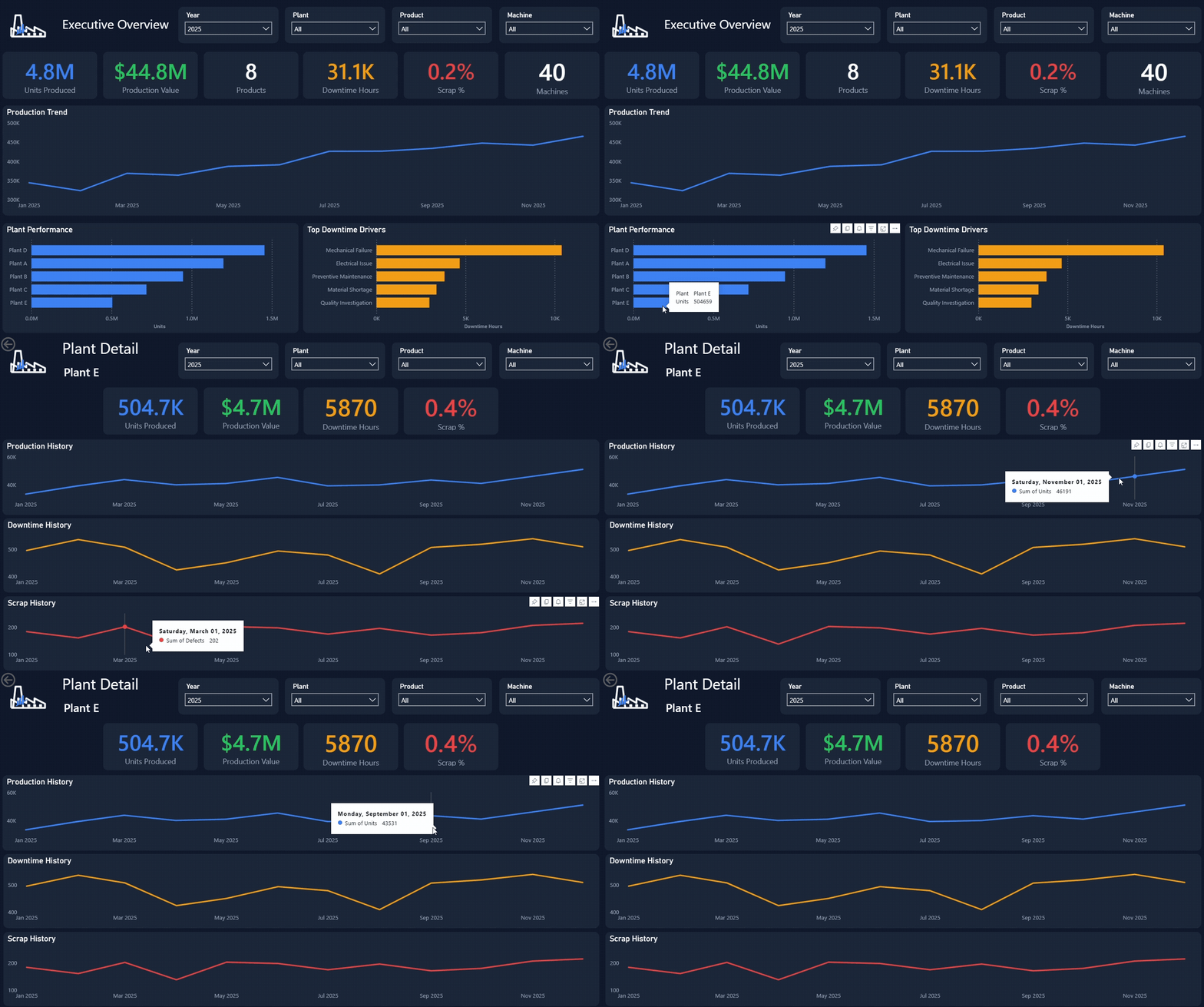
The Solution: When you see a problem, you need immediate context. Let's say you notice an output issue at Plant E. Instead of leaving the dashboard to go dig through raw data, you simply use the Drill Through feature. By clicking on Plant E, you are instantly taken to a localized, highly detailed analysis page dedicated entirely to that specific plant. You get the root-cause data you need to fix the bottleneck in seconds.
4. Custom Tooltips: Maximum Context, Zero Clutter
The Problem: You want to see additional details on a specific metric, but the dashboard is already full. Adding more charts would create visual clutter and overwhelm the user.
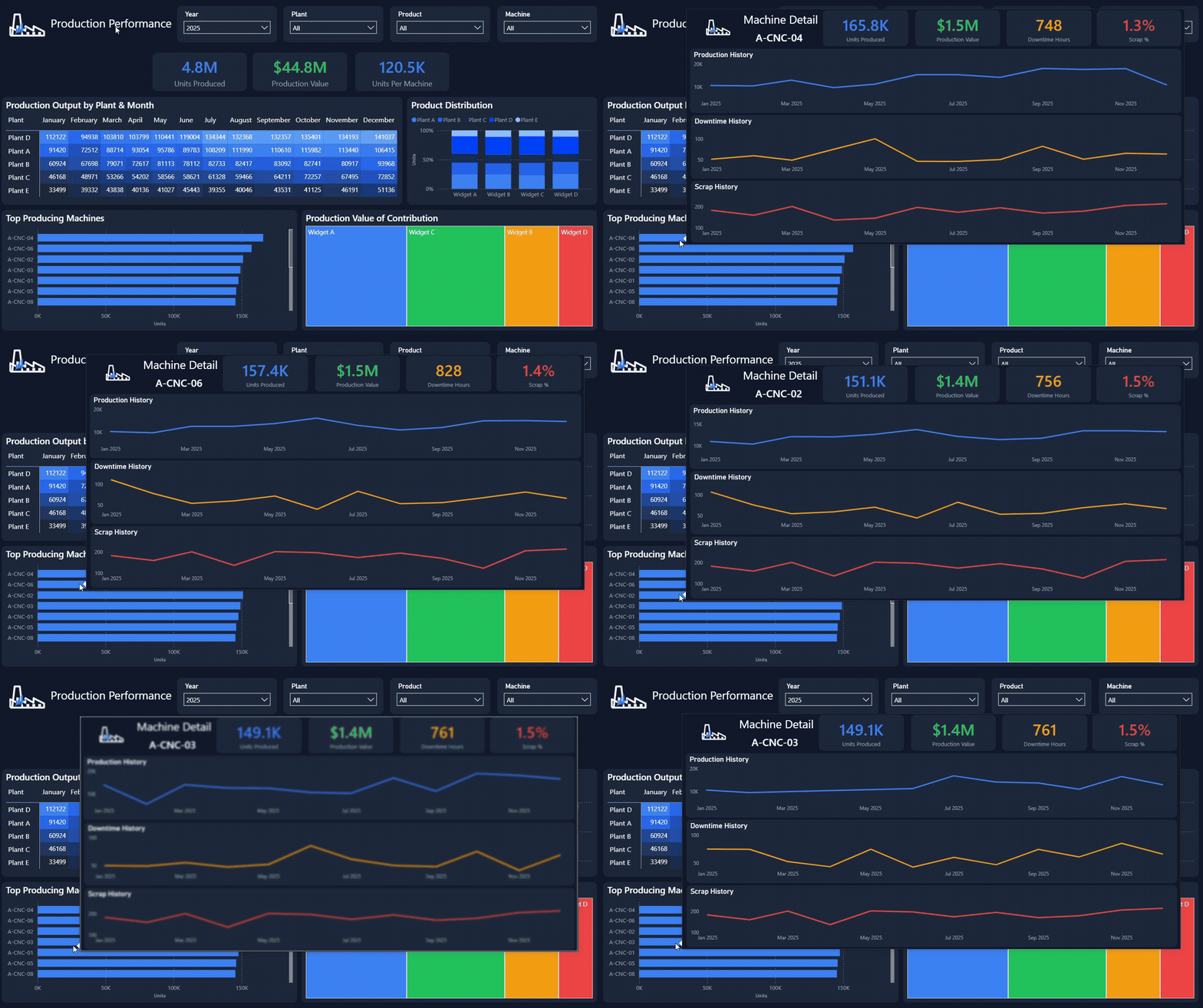
The Solution: We utilize custom tooltips to keep the interface clean while keeping the data accessible. By simply hovering your mouse over a specific plant or product line, a custom secondary chart appears on the screen. You get the deep context you are looking for without ever leaving the page or cluttering the main interface.
Turn Your Data into a Competitive Advantage
You cannot optimize what you cannot clearly see. When your team has to fight with spreadsheets to understand shop floor performance, you are losing valuable time and money.
Elevate Technology Partners builds the Power BI infrastructure that connects your data silos and gives your leadership team the exact answers they need.